Free Virtual Science Labs for Middle School (No Login)
What makes a virtual lab worth class time, and a list of free middle school labs for forces, energy, waves and space that run in a browser on Chromebooks, iPads and phones.
By Mr. Bovee, 8th grade science teacherUpdated 7 min read
What to look for in a virtual lab
There are a lot of science simulations online. The ones worth a class period usually have these things in common:
It runs in the browser on school devices. No installs, no Flash, no plug-ins, and it works on a Chromebook.
No student accounts. Logins eat class time and raise student-privacy questions.
Students make real decisions. They choose a variable, predict, test and compare, instead of just watching an animation.
It checks understanding along the way. Calculations or questions that must be answered before moving on, with hints for common mistakes.
It ends with proof of learning. A report or certificate with the student's name and results that you can collect.
It is tied to a standard. You should be able to say which NGSS performance expectation it supports.
Free middle school virtual labs on Bovee Science
Forces and motion
Valley Flight School: a 3D flight simulator lab. Students fly from takeoff to landing, and time freezes at seven lab stops where they use their own flight data for forces, Newton's laws, and kinetic and potential energy. (MS-PS2-2, MS-PS3-1)
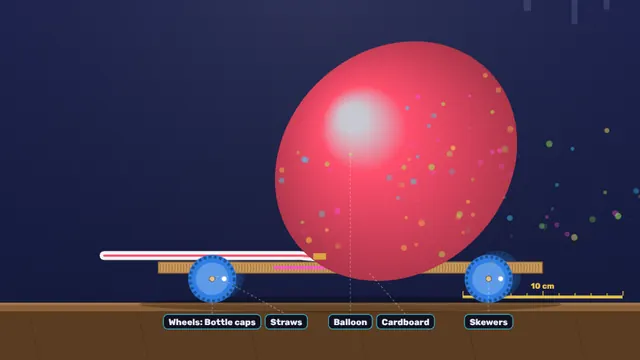
Scooter Workshop: design a Newton scooter from household parts, test it in a virtual hallway, and leave with a blueprint for the real build. (MS-PS2-1)
Energy
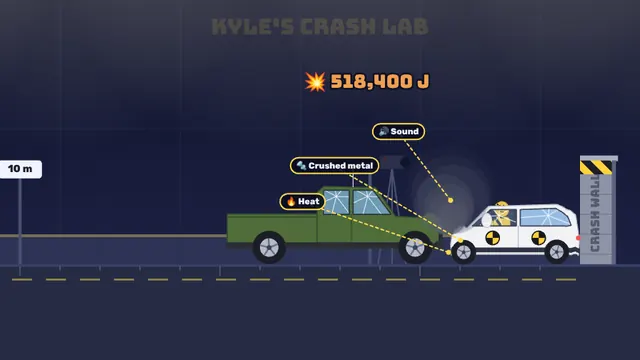
Crash Test Lab: is a heavier or a faster vehicle more dangerous? Students calculate kinetic energy for 14 crashes and graph the patterns. (MS-PS3-1, MS-PS3-5)
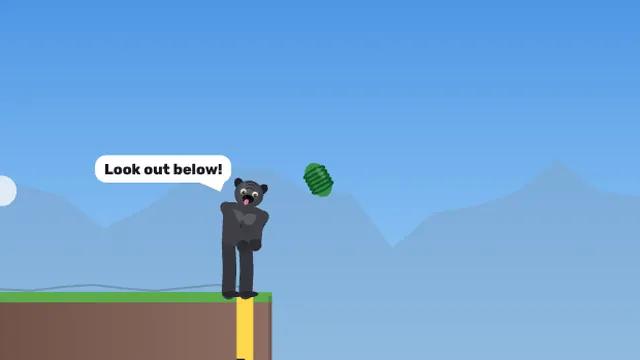
Cliff Drop: lift objects from a feather to a semi truck over a cliff, calculate potential and kinetic energy, and compare drops on Earth, the Moon, Mars and Jupiter. (MS-PS3-2)
Waves
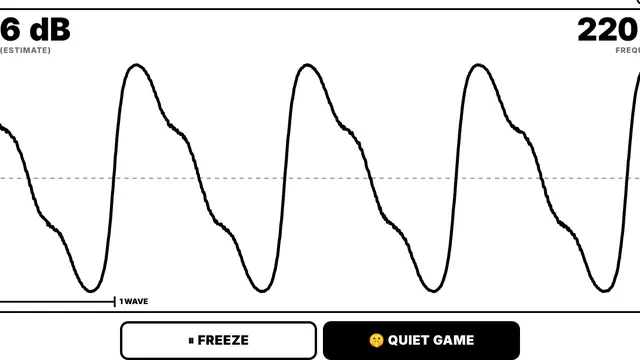
Sound Lab: the device microphone turns students' voices into a live wave so they can see frequency and amplitude change. (MS-PS4-1)
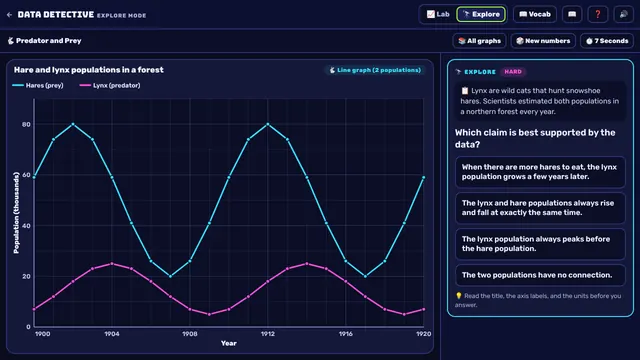
Data Detective: 15 graph and data table challenges from easy to hard, with step-by-step explanations.
Other well-known free options
Two long-running free collections are worth bookmarking too. PhET Interactive Simulations from the University of Colorado Boulder has a large library of open-ended simulations across physics, chemistry and biology. The Physics Classroom has interactives and tutorials that work well for students who want extra explanation. Bovee Science focuses on guided labs with built-in checks and a name-stamped report at the end, which makes it easy to use for an assignment.
Tips for running a virtual lab day
Open the lab yourself first and read the directions panel; it opens automatically for students too.
Have students type their first and last name exactly as they appear in your gradebook.
Project one student's screen for the first two minutes so everyone sees the first step.
Collect screenshots of the final report through your LMS.
Use the discussion questions on each activity's teacher guide page for the last five minutes.
Free virtual labs on Bovee Science
Free, no login, runs on Chromebooks, iPads and phones.
Fly a 3D plane from takeoff to landing. Time freezes at 7 lab stops where you use your own flight data to work out forces, Newton's laws, and kinetic and potential energy.
Is a heavier vehicle or a faster one more dangerous? Crash 14 vehicles into Kyle, calculate KE before each one, and graph what happens when you double the mass vs. double the speed.
See your own voice as a live sound wave. Learn amplitude and frequency, hit 15 frequency targets in hertz, and find your vocal range. Uses the microphone on an iPad, phone, or Chromebook.
Drop anything from a feather to a semi truck off a cliff, with or without air resistance, on Earth or other worlds. Calculate GPE and KE, then graph how energy is conserved.
Practice reading 15 science graphs and data tables, from bar graphs to climate graphs, with new numbers every time. Miss one and get walked through it step by step.
Yes. Every Bovee Science lab runs in the Chrome browser with nothing to install. They also run on iPads and phones.
Do students need accounts?
No. Students type their name on the start screen. No emails or student data are collected, and progress is saved only in that device's browser.
How do I know students actually did the lab?
Each lab ends with a report, worksheet or certificate that shows the student's name, the date, their results and an ID. Students screenshot it and turn it in.
Can virtual labs replace hands-on labs?
They work best alongside them. Virtual labs are great for experiments that are too dangerous, expensive or fast to do in a classroom, like car crashes, planetary gravity or flight, and for collecting a lot of data quickly.

 Grade 8Simulation